Viewing Sessions
The cluster manager allows you to view sessions within HEAT, which represent a single instance of a data workflow defined by a Session Template. A single session may produce one or more dimensions, which allow visualisation within our frontend dashboard solution. In cases where a sessions analysis page is not visible in the dashboard solution, either the session template did not expect to produce one, or there was a fault preventing processing from reaching that stage.
Using the cluster manager allows you to diagnose the state of a session, including whether data was presented to the relevant nodes, and the current status of any given node within a session. Crucially, this lets you validate the storage of any relevant artefacts, and whether a fault occurred.
Unlike the dashboard, which allows you to view sessions analysis pages, a session is the underlying context for any given workflow.
Navigating Sessions
You can browse sessions within the cluster manager, filtering on Project and the Session Template in use by the Session. You can also filter by name.
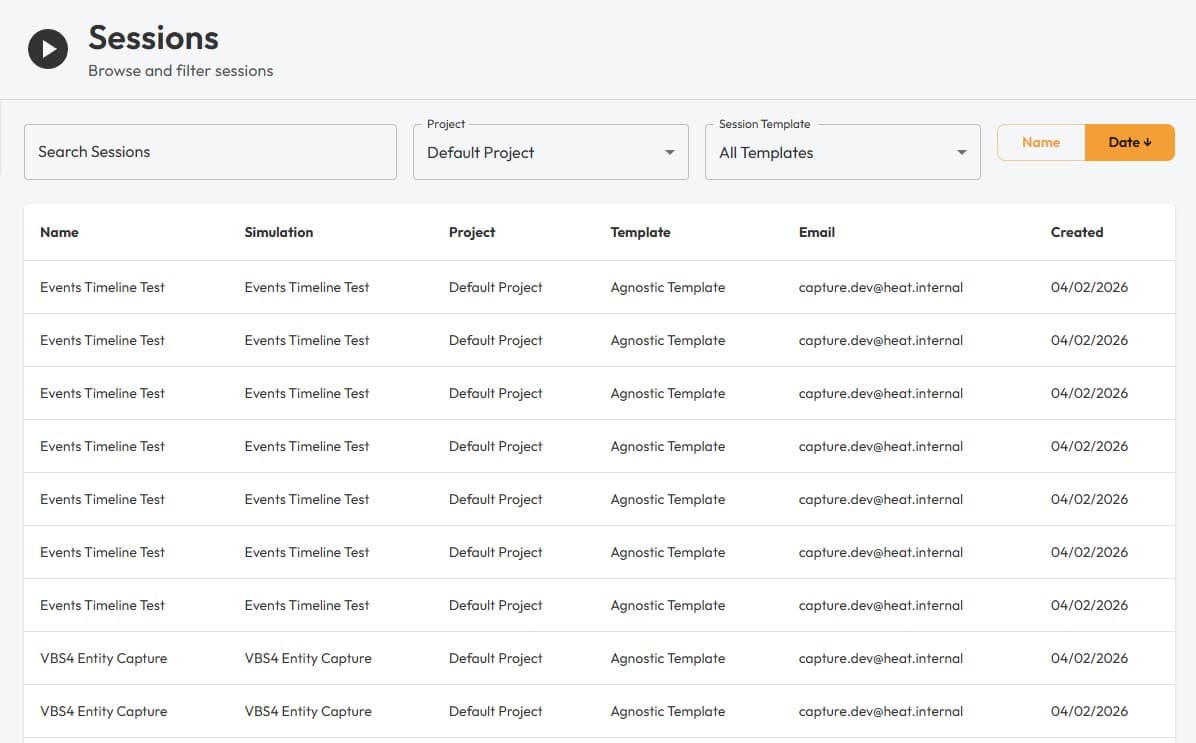
Clicking on any session will reveal further details, including any high-level metadata associated with the session. Metadata is produced by data analysis, or by external tools to configure a session.
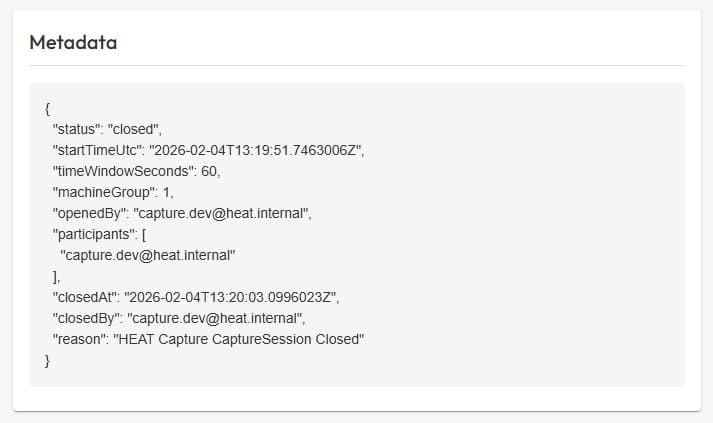
Here you can see metadata associated with this test session, it shows some parameters configured by our Capture solution, for easy data ingestion.
Navigating to the nodes view, you can see all nodes present in the session, as dictated by the chosen session template. The capture team used the Agnostic Template here, which provides a single input node and stub analysis node, so we don’t expect any processing to take place.
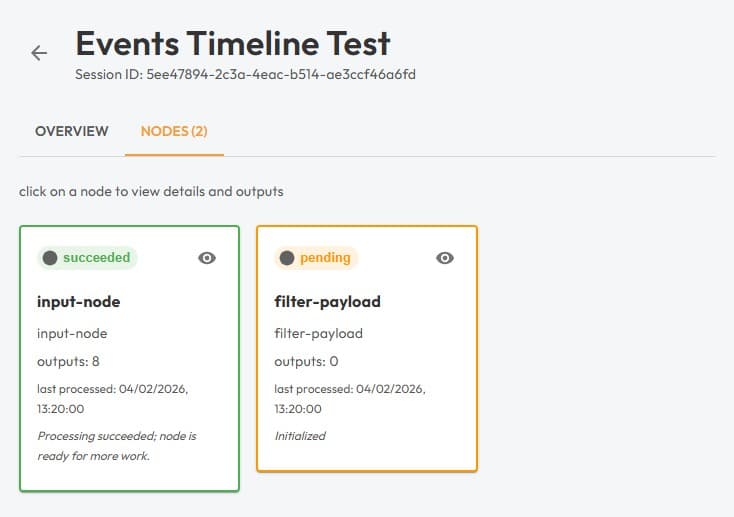
The input node shows a success state, and 8 outputs, which indicates the Capture solution sent 8 data payloads to HEAT for this session. The filter payload is pending, as this is an agnostic template designed to test upload functionality.
Clicking on a node reveals more information.
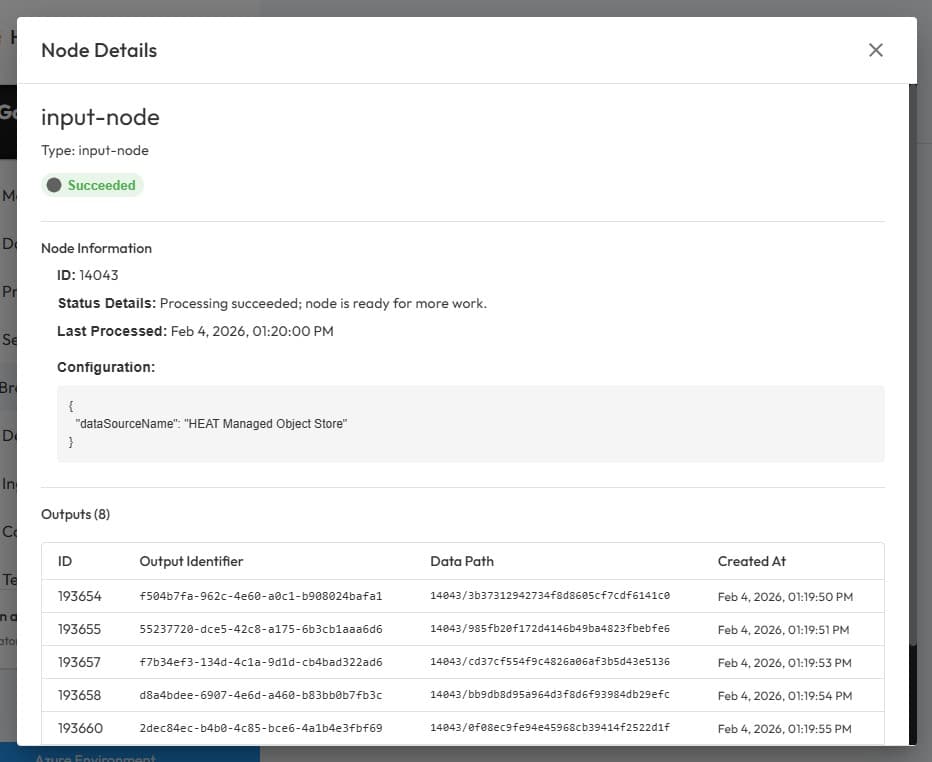
Here you can validate the latest status update for a given node, including all outputs, the node configuration, when it was last processed and the IDs and data paths for every output.
The cluster manager will not present the data to you, as it does not have access to do this.